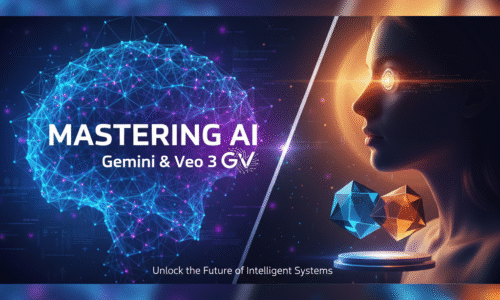
Unlock the power of AI to design, edit, and animate like a pro — without needing Photoshop or a video crew.
In this course, you’ll learn to generate realistic images, create business and influencer visuals, and produce Somali-speaking AI videos using Gemini and Veo 3.
By the end, you’ll have hands-on experience producing ads, storytelling videos, and 3D animated scenes powered entirely by AI.
Curriculum
- 6 Sections
- 41 Lessons
- 5 Weeks
Expand all sectionsCollapse all sections
- Module 1: Introduction to AI Visual Generation7
- 1.1Introduction of the course
- 1.2Business advertising video created1 Minute
- 1.3What is AI image & video generation?4 Minutes
- 1.4Differences between text-to-image, text-to-video, and image-to-video3 Minutes
- 1.5Overview of top AI video tools (Veo 3, Runway, Kaiber, Pika Labs — for awareness only)3 Minutes
- 1.6How AI is transforming creativity, design, and marketing4 Minutes
- 1.7Tools and resources we will use in the course3 Minutes
- Module 2: Understanding AI Image Generation (Gemini)10
- 2.1Understanding Google AI account (Gemini + Veo 3)
- 2.2Creating a Google AI Pro account
- 2.3Exploring the Gemini interface and dashboard8 Minutes
- 2.4Writing effective prompts using ChatGPT for better visuals5 Minutes
- 2.5How to create images with Gemini7 Minutes
- 2.11How to edit or modify image using gemini4 Minutes
- 2.12How to create Poster design using gemini4 Minutes
- 2.13Transforming old image to modern6 Minutes
- 2.14Wearing your image on branded clothing products4 Minutes
- 2.15How to create football poster design gemini11 Minutes
- Module 3: Professional & Personal Image Applications5
- Module 4: Preparing for AI Video Generation8
- 4.1Understanding Google ai flow interface3 Minutes
- 4.2Understanding Veo 3 interface6 Minutes
- 4.3Text-to-video creation with Somali narration8 Minutes
- 4.4Writing cinematic prompts for Veo 3 using ChatGPT
- 4.5Converting images into video format5 Minutes
- 4.6Turning recipe ingredients into a video
- 4.7Creating product animation advertising3 Minutes
- 4.8How to animate Logo4 Minutes
- Module 5: Creating Live Samples5
- Module 6: AI Video Projects (Veo 3 Practice)6